
 Download from your account
Login monitoring
Report invalid WordPress login attempts to BruteBank for threat analysis and review.
// WordPress security // BruteBank plugin
Monitor WordPress login threats, block abusive IPs, and get alerts on your phone. Add two-factor authentication and invisible CAPTCHA from one plugin.

BruteBank
WordPress protection
// plugin download
Sign in to your account to download the current WordPress plugin package, then upload it to your site.
01 // Detect
Login abuse
02 // Review
Threat activity
03 // Block
Known attackers
04 // Secure
Your forms
// protection toolkit
BruteBank connects your WordPress site to a security dashboard and mobile app, so you can see attacks and respond without digging through server logs.
Report invalid WordPress login attempts to BruteBank for threat analysis and review.
Review threat activity and take action from the BruteBank mobile app.
Sync your BruteBank block list with WordPress and deny repeat requests from blocked addresses.
Add an email verification step to supported WordPress administrator sign-ins.
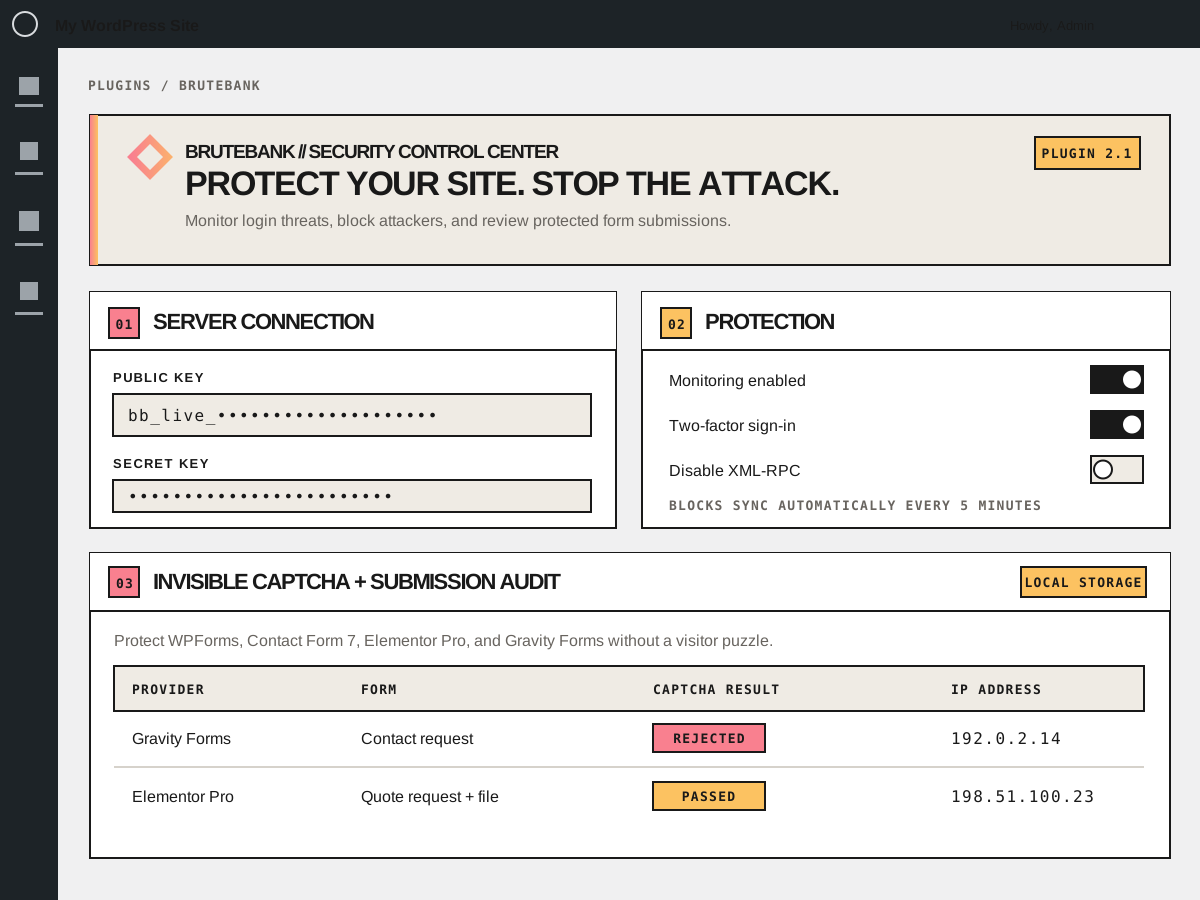
Verify WPForms, Contact Form 7, Elementor Pro Forms, and Gravity Forms without showing visitors a puzzle.
Disable XML-RPC from the plugin when your site does not need that interface.
// form protection
Illustrative interface. Stored submissions and attachment copies are managed locally in your WordPress installation.
// form security
When invisible CAPTCHA rejects a form attempt, the local audit gives administrators a way to review the result instead of losing the submission unseen.
Submission data can contain personal information. It is stored on your WordPress site and should be retained only as long as needed.
// setup
Choose a plan and add your WordPress site in the BruteBank dashboard.
Sign in to your BruteBank account, download the plugin package, then upload and activate it in WP-Admin.
Open my account →Paste your server keys, enable the protections you need, and save.
// your control panel
// straightforward plans
Protect one site or manage a fleet. Every plan includes the BruteBank WordPress plugin and mobile app integration.
1 site
5 sites
10 sites
20 sites
Prices and billing periods match checkout. You can review your selection before completing registration.
// Take control
Not a WordPress user?